
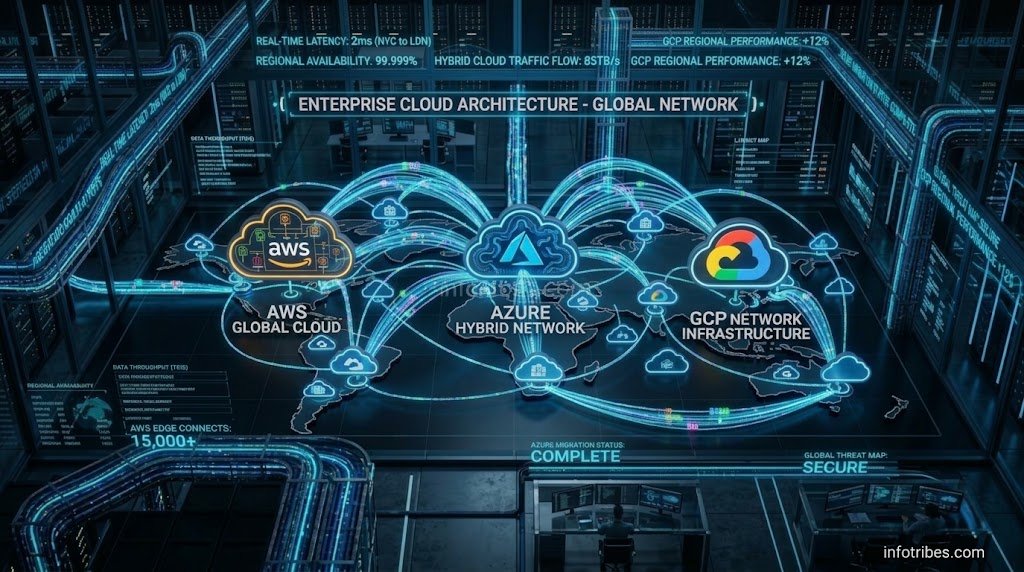
Moving your enterprise IT systems from legacy on-premise hardware to the cloud is no longer just an IT upgrade—it is a fundamental business strategy. Whether you are running traditional enterprise applications, modern containerized microservices, or data-heavy machine learning models, choosing the right cloud provider and executing a flawless migration can make or break your operational efficiency.
Over the years of consulting with growing businesses and managing complex multi-cloud environments, I have seen firsthand how chaotic migrations happen when teams skip structured planning. In this comprehensive guide, we will break down everything you need to know about Cloud Infrastructure Migration and long-term management across the three major hyperscalers: Amazon Web Services (AWS), Microsoft Azure, and Google Cloud Platform (GCP).
1. Introduction: Why Cloud Infrastructure Migration Matters Today
Legacy data centers are expensive to maintain, slow to scale, and vulnerable to single-point hardware failures. When companies initiate a Cloud Infrastructure Migration, their primary goals are usually agility, disaster recovery, scalability, and cost efficiency. However, migrating hundreds of virtual machines, databases, and network configurations requires meticulous architecture design.
Real-World Challenges and Lessons Learned
In my early infrastructure projects, the biggest mistake teams made was treating cloud migration as a simple “lift-and-shift” data copy. They moved poorly optimized monolithic apps directly to the cloud without redesigning network topologies or security groups, resulting in ballooning cloud bills and unexpected latency issues. A successful migration requires aligning your engineering team, defining clear Key Performance Indicators (KPIs), and ensuring security compliance from day one.

2. Planning and Assessing Your Current IT Landscape
Before spinning up a single virtual server on AWS, Azure, or GCP, you need a complete inventory of your existing infrastructure. Rushing into a Cloud Infrastructure Migration without dependency mapping often leads to broken application pathways and orphaned resources.
Conducting an Infrastructure Audit
• Application Dependency Mapping: Identify which databases connect to which application servers. Moving an app without its supporting database causes immediate downtime.
• Performance Baseline Metrics: Record current CPU usage, RAM allocation, IOPS, and network bandwidth requirements. This data helps you right-size your cloud instances.
• Compliance and Data Residency: Ensure that your target cloud region complies with local data privacy regulations (such as GDPR, HIPAA, or local financial data laws).
3. Choosing the Right Hyperscaler (AWS vs Azure vs GCP)
Selecting the right provider for your Cloud Infrastructure Migration depends entirely on your existing technology stack, budget, and business goals.
Amazon Web Services (AWS) Overview
The pioneer of cloud computing. AWS offers the most mature ecosystem with millions of active customers and specialized services for almost any conceivable enterprise use case.
Microsoft Azure Strengths
If your organization relies heavily on Windows Server, SQL Server, .NET applications, and Active Directory, Azure provides unmatched integration and licensing benefits through Hybrid Benefit programs.
Google Cloud Platform (GCP) Advantages
Renowned for its superior global network infrastructure, Kubernetes (GKE) leadership, and advanced big data analytics tools like BigQuery and Vertex AI.
4. Step-by-Step Cloud Infrastructure Migration Strategies
Migrating workloads is not a one-size-fits-all process. Depending on time, budget, and application complexity, teams typically choose one of the proven cloud execution pathways.
Understanding the 6 R’s of Cloud Migration
1. Rehosting (Lift-and-Shift): Moving applications as-is without changing code.
2. Replatforming: Making minor optimizations (like switching to managed database services).
3. Refactoring: Re-architecting applications into cloud-native microservices.
4. Repurchasing: Replacing legacy apps with SaaS solutions.
5. Retaining: Keeping complex legacy workloads on-premise for now.
6. Retiring: Decommissioning redundant applications.
The Migration Execution Workflow
• Pilot Migration: Start with a non-critical internal application or staging environment. This allows your team to test networking tunnels, IAM roles, and backup policies without business risk.
• Data Replication & Sync: Utilize managed migration services (such as AWS DMS, Azure Database Migration Service, or GCP Database Migration Service) to keep on-premise databases synchronized prior to cutover.
• DNS Cutover and Verification: Schedule cutover windows during low-traffic hours. Update DNS records (Route 53, Azure DNS, Cloud DNS) to point traffic to your new cloud endpoints.

5. Day-2 Operations and Cloud Management Best Practices
Completing your Cloud Infrastructure Migration is only half the battle. Long-term operational success relies heavily on robust management and automation.
Infrastructure as Code (IaC) Implementation
Manage your cloud resources using Terraform, AWS CloudFormation, or Azure Bicep instead of manual console clicks. IaC ensures repeatability, version control, and rapid disaster recovery.
Automated Monitoring and Observability
Set up comprehensive monitoring using tools like Datadog, Prometheus, Grafana, or native vendor suites (Amazon CloudWatch, Azure Monitor, GCP Operations Suite) to detect anomalies before users notice them.
Cloud Security Best Practices and IAM Governance
Enforce the Principle of Least Privilege (PoLP), require Multi-Factor Authentication (MFA) across all administrative accounts, and configure strict Virtual Private Cloud (VPC) subnets.
6. Cloud Cost Optimization and Hybrid Governance
Unmonitored cloud environments quickly lead to unexpected monthly bills due to over-provisioned instances and abandoned storage volumes.
Practical Cloud Cost Reduction Tactics
• Right-Sizing Resources: Audit CPU and memory utilization weekly. Downgrade instances that consistently run under 20% capacity.
• Reserved Instances and Savings Plans: Commit to 1-year or 3-year terms for stable, predictable workloads to save up to 40%–60%.
• Automated Scheduling: Shut down non-production dev/staging environments outside business hours.
7. Frequently Asked Questions (FAQs)
1. What is the biggest risk during a cloud infrastructure migration?
The primary risks include unexpected downtime, data loss during transit, security misconfigurations (such as public storage buckets or open firewall ports), and post-migration cost overruns. Proper planning and thorough testing mitigate these risks.
2. How long does a typical cloud infrastructure migration take?
Migration timelines vary drastically based on organization size. Small businesses with a few web servers may migrate in weeks, while large enterprises with legacy monolithic databases can take 12 to 36 months in phased waves.
3. Should my company use a single cloud provider or multi-cloud?
While multi-cloud avoids vendor lock-in, it dramatically increases architectural complexity and requires specialized engineering skills. Most growing businesses benefit more from mastering a single primary cloud provider before exploring multi-cloud strategies.
4. What is the difference between rehosting and refactoring?
Rehosting (“lift-and-shift”) moves applications to the cloud with zero code changes. Refactoring involves rewriting or re-architecting applications to leverage cloud-native features like serverless functions and managed Kubernetes.
5. How do I secure sensitive customer data in the cloud?
Security is a shared responsibility model. Cloud providers secure the underlying hardware, while you must secure your data through encryption at rest and in transit, strict IAM policies, network segmentation (VPCs), and regular vulnerability scans.
6. Which cloud provider is best for Artificial Intelligence and Machine Learning workloads?
Google Cloud Platform (GCP) is widely recognized as an industry leader for heavy AI/ML training due to its custom Tensor Processing Units (TPUs) and BigQuery analytics ecosystem, though AWS and Azure also offer robust enterprise AI toolkits.
7. How can I prevent unexpected cloud bills after migrating?
Implement proactive cloud financial management (FinOps). Set up budget alerts, tag all cloud resources by department or project owner, and use automated cost-anomaly detection tools provided by your cloud vendor.
8. What role does Terraform play in cloud management?
Terraform is an open-source Infrastructure as Code (IaC) tool that allows you to define and provision AWS, Azure, and GCP infrastructure using human-readable configuration files, ensuring reproducibility and version control.
8. Final Summary & Actionable Migration Checklist
Executing a structured Cloud Infrastructure Migration transforms your organization into a scalable, agile, and future-proof digital enterprise.
Pre-Cutover Verification Checklist
[ ] Complete detailed application dependency and performance baseline audits.
[ ] Select the primary hyperscaler (AWS, Azure, or GCP) matching your tech stack.
[ ] Establish secure VPN / Direct Connect tunnels between on-premise and cloud networks.
[ ] Deploy Infrastructure as Code (Terraform / Bicep) for repeatable deployments.
[ ] Set up continuous monitoring, IAM roles, and FinOps budget alert triggers.
“Migrating hundreds of virtual machines requires stable network infrastructure; similar to troubleshooting network performance issues like dealing with persistent fix starlink connection drops, cloud connectivity demands rigorous bandwidth and latency monitoring before cutover.” triggers.



Pingback: High-Performance GPU Cloud Hosting: NVIDIA H100 vs A100 Guide